LiteLLM with Elasticsearch

Streamlining Vector Search with private model: Unifying Embedding Models with LiteLLM and Elasticsearch

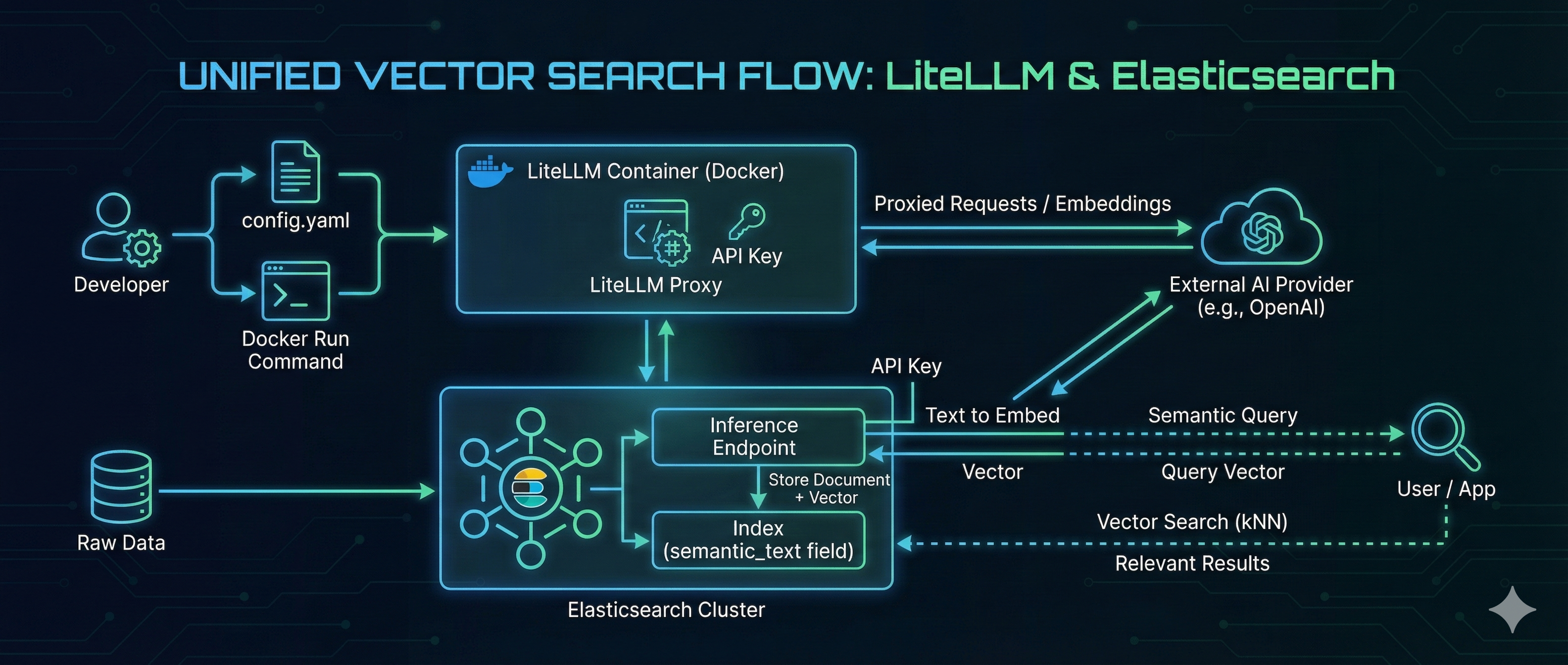
In the rapidly evolving landscape of AI, managing the “plumbing” between your embedding models and your search engine is often a challenge. Developers frequently struggle with switching providers, managing API keys, and maintaining consistent API specifications. LiteLLM solves the model management problem by acting as a universal proxy, while Elasticsearch delivers high-performance Vector Search. By combining them, you can build a search architecture that is both flexible and powerful. In this guide, we will walk through hosting an OpenAI-compatible embedding model using LiteLLM on Docker and consuming it directly from Elasticsearch to perform seamless vector search. ...

January 8, 2026 · 5 min · 1014 words · Ashish Tiwari

Setup & Observe Kubernetes cluster

Introduction In this gist we will quickly spin a sample Kubernetes cluster and deploying the nginx pod. Additionally, we will implement monitoring using Elastic. Setup K8s cluster Cluster architecture 3 Node cluster Machine - Centos7, 4GB RAM kube1.local - Control plane node kube2.local - worker node kube3.local - worker node Here I am setting hostname kube1.local, kube2.local, kube3.local. Login into all of the servers and perform below command on all three nodes. ...

March 28, 2024 · 3 min · 630 words · Ashish Tiwari
Monitor kubernetes cluster with Elastic Observability

Monitor Kubernetes cluster with Elastic

Introduction Bring logs, metrics, and traces from your Kubernetes cluster and the workloads running on it into a single, unified solution. Elastic observability gives better visibility on your kubernetes ecosystem where you can monitor your pods, services, workload etc. Use a centrally managed Elastic Agent to gain visibility into your Kubernetes deployments on EKS, AKS, GKE or self-managed clusters. Talk Video

July 28, 2023 · 1 min · 61 words · Ashish Tiwari
Receive webhook requests using ELK

Receive Webhook Requests Using ELK

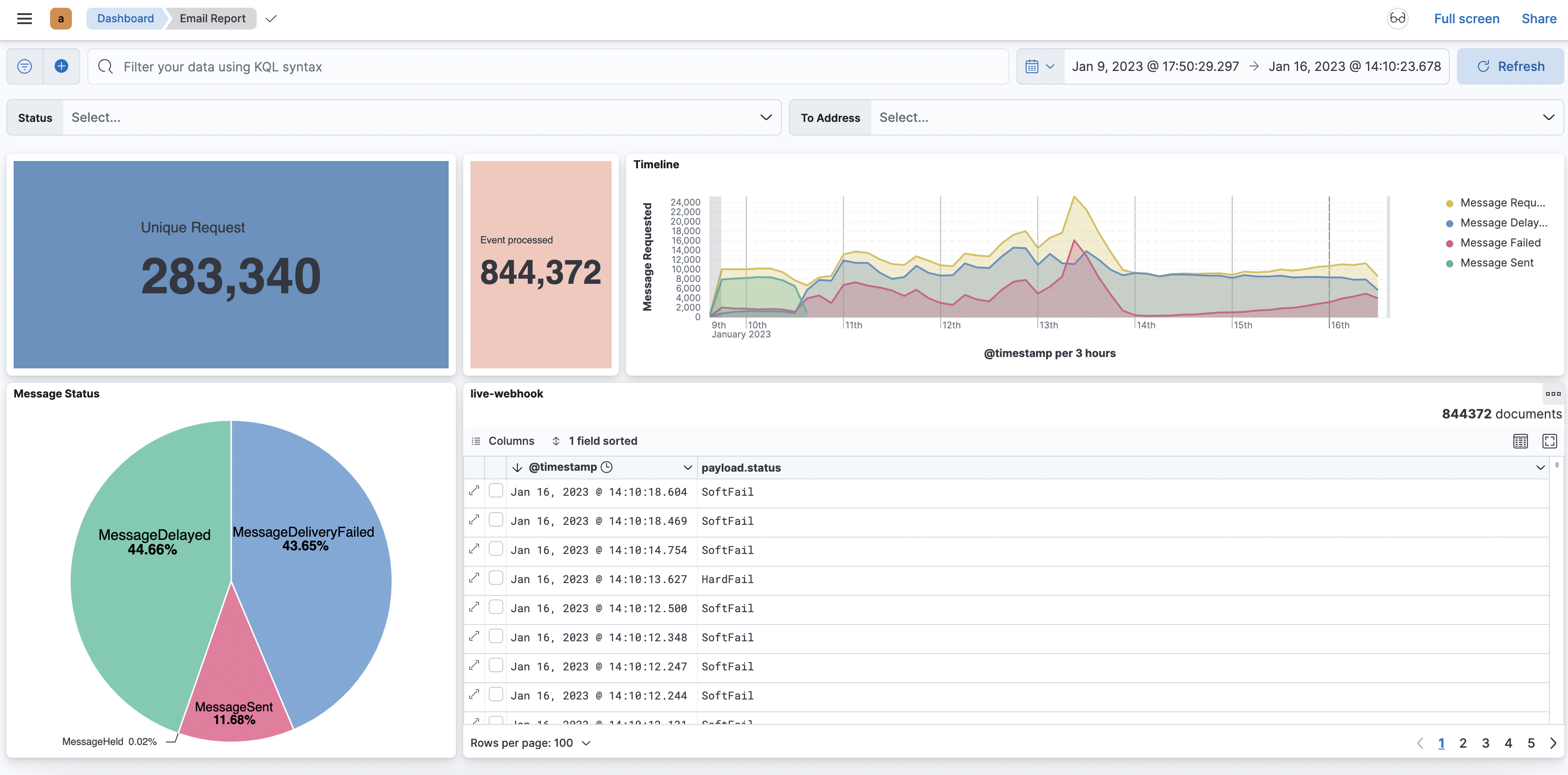
In this blog, we will see how you can quickly setup ELK (Elasticsearch, Logstash, Kibana) stack to receive the HTTP webhook. Mostly ELK stack is known for logging purposes. But Elastic stacks are much more beyond the logging use case. Elastic provides Search, Observability & Security you can check more on this with official documentation. What is Webhook ? Webhook enables the two programs to communicate or transfer the data with the help of callback functions / hooks. Now in the modern tech world it is also known as Reverse API, Push API etc. Mostly it is used to send small amounts of data from source to destination. It is a one way data transfer procedure. It works over the HTTP protocol using REST API. It is simple like client and server communication. Most of the saas allow you to integrate their product with your system with the help of APIs and Webhook only. E.g. Slack and discord allows you to push messages with the help of webhooks. To accept the webhook event, You need to expose one HTTP endpoint lets say ...

January 23, 2023 · 5 min · 1012 words · Ashish Tiwari
Virtual session on getting started with elastic stack

Getting started with Elastic stack

What this talk is all about ? Elastic Stack (Elasticsearch, Logstash, Kibana and Beats) is such a platform which is built for scalability, performance and “You know… for Search”. When you have a system which scales to the horizons of your data, helps you in your data quest, shows you insights - imagine what you can do with it. Talk Video Feel free to comment below, If you have any doubts or suggestion about this talk.

September 17, 2022 · 1 min · 76 words · Ashish Tiwari
Parsing Custom log format to the Elasticsearch

Parsing Custom log format to the Elasticsearch

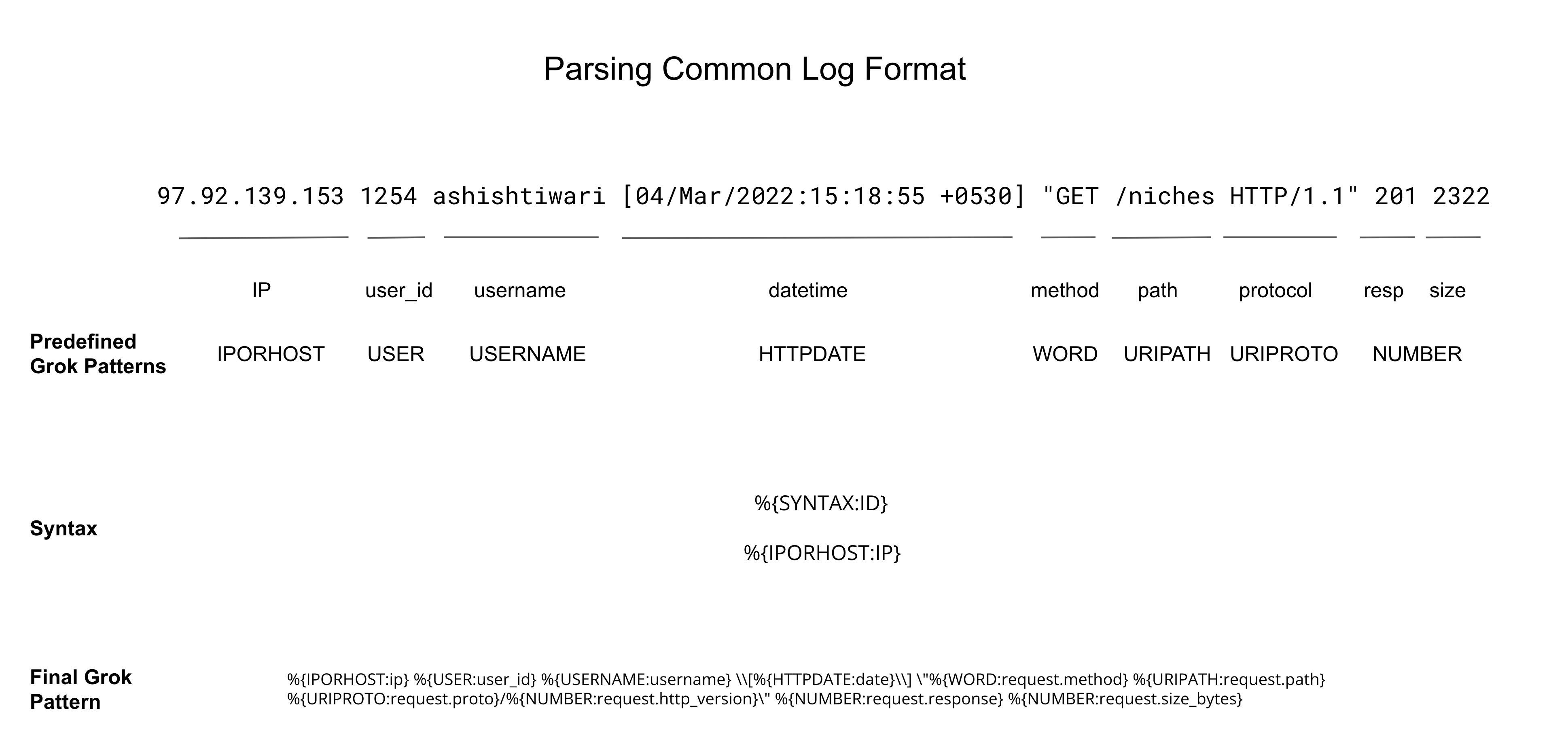
Introduction As a developer, you need to log everything it may be info, error or debug logs, etc. There are multiple types of log formats like Common log, JSON log, etc. and there are already solutions available in an elastic stack like filebeat to read JSON logs and push them to elasticsearch. There can be cases where you need to log the data according to your convenience which will not be any standard log format. Or sometimes you just need to dump the log in an unstructured way but you need to have it in a structured format if you want to analyze those. ...

April 29, 2022 · 6 min · 1208 words · Ashish Tiwari
Searcy As You Type

[Part -1] Search as you type

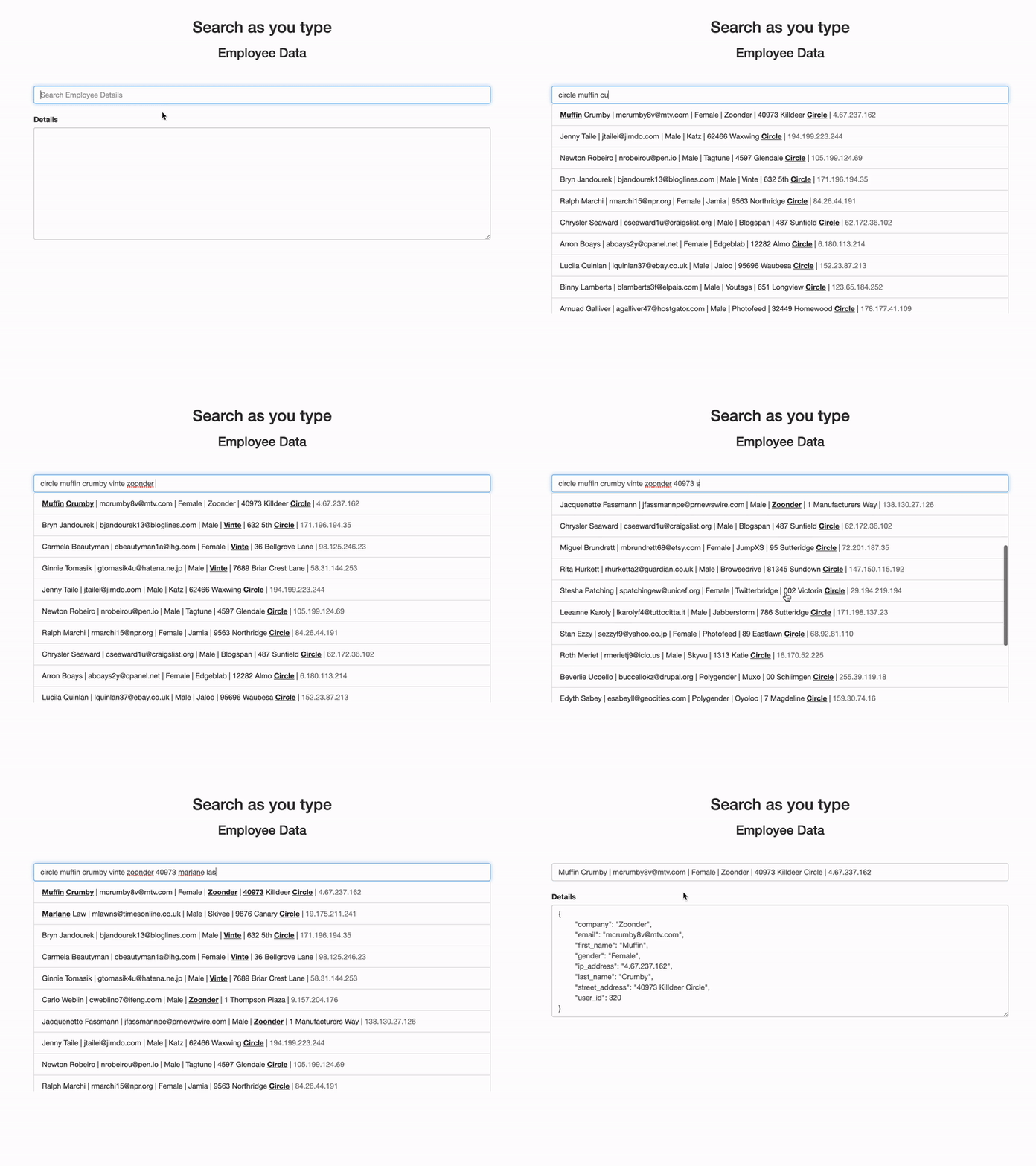
Introduction In this blog, we will try to understand how “Search as you type” works and Quickly setup one demo using some sample data. You must have seen various websites like eCommerce, food apps, etc. where you just start typing & simultaneously relevant options start displaying as suggestions and autocomplete. We will try to achieve somewhat the same feature. Search as you type Elasticsearch gives this specific mapping type which you can simply set to a specific field where you want to perform this kind of search. ...

March 18, 2022 · 7 min · 1335 words · Ashish Tiwari
azure conf cover pic

Deploy Elasicsearch on Azure cloud

Introduction What this talk is all about ? The purpose of the talk is to give a short overview of Elastic solutions & Elastic stacks. In the demo shown, how you can deploy elasticsearch instance on Microsoft Azure. Also, it gives an idea to use the elastic cloud to manage the elasticsearch instance which deployed on the Azure cloud. You can also create deployment on elastic cloud (cloud.elastic.co). In the demo, Successfully shipped the metric data of the local system (my MacBook) to the newly deployed elasticsearch instance and explored the dashboard on kibana. ...

January 29, 2022 · 1 min · 112 words · Ashish Tiwari